

My current company has settled on using Gradle. It doesn’t make me very happy, but you need to learn to work with constraints. Plus, I must admit that the developers who actually implemented the build files did a pretty good job overall: they used Kotlin instead of Groovy, they moved code to regular plugins, etc.
This week, I worked on improvements to a new project and set up Renovate. Renovate is similar to Dependabot in that it checks for new versions of your dependencies and automatically creates PRs for you. However, I quickly noticed that merges of new dependency versions failed the build. Here’s the full story on why, and how I fixed the issue.
Supply chain hardening
In the last few years, one of the big issues in the IT world has been supply chain attacks. Depending on others' work isn’t a new thing:
The woolen coat, for example, which covers the day-labourer, as coarse and rough as it may appear, is the produce of the joint labour of a great multitude of workmen.
The Wealth of Nations
The software world has increased the phenomenon a lot due to two factors:
- Digitized assets make the reproduction cost-free. You can distribute as many copies as you want.
- Open Source has created many projects that serve as foundations for others, from full-fledged operating systems to specialized libraries, e.g.,
curl. Mandatory illustration: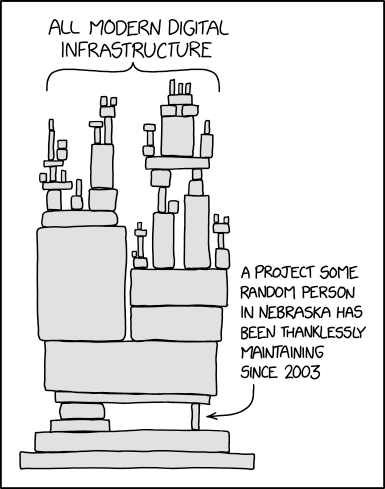
For hackers, it creates an interesting attack vector:
Working with external dependencies and plugins from third-party repositories exposes your build to significant supply chain risks. Dependencies are the most commonly attacked part of the software supply chain, and every artifact you consume, including transitively pulled-in binaries, needs to be both legitimate and unchanged.
To illustrate the risk, consider building an application that uses the
trusty-lib:1.0library from a public repository. If an attacker successfully replacestrusty-libin the repository with a malicious version having the same coordinates (trusty-lib:1.0), your next build will download the compromised code without any warning.
This type of attack is known as a supply chain attack. In recent years, there have been more than a couple of such attacks.
Verifying dependencies
The Java platform introduced dependency verification via JAR signing in early versions.
It was present at the latest in 1.2.
You can check the process documentation if you’re interested.
In short, a signed JAR has specific files in its META-INF folder.
JAR signing never became popular, and I can only assume the reasons why:
- The process was (and still is) complicated
- DevOps didn’t exist
- Certificates were expensive
Over JARs carrying their signature files, people preferred a weaker form of verification: no signature, but a short fingerprint of the file itself. This guarantees integrity. Integrity means you’re downloading the exact file that you intend to.
Integrity verification is widespread because it’s simple. You first download the file. Then, you run a dedicated application on the file to generate its hash. If the generated hash and the advertised hash match, the file is the original file; if not, it has been tampered with.
Maven Central provides such a hash for each artifact it offers for download. For example, here’s the download page for the Log4J2 SLF4J bridge:
log4j-slf4j2-impl-2.26.1-cyclonedx.xml            2026-06-29 07:47     26067
log4j-slf4j2-impl-2.26.1-cyclonedx.xml.asc        2026-06-29 07:47       856
log4j-slf4j2-impl-2.26.1-cyclonedx.xml.md5        2026-06-29 07:47        32
log4j-slf4j2-impl-2.26.1-cyclonedx.xml.sha1       2026-06-29 07:47        40
log4j-slf4j2-impl-2.26.1-sources.jar              2026-06-29 07:47     23459
log4j-slf4j2-impl-2.26.1-sources.jar.asc          2026-06-29 07:47       856
log4j-slf4j2-impl-2.26.1-sources.jar.md5          2026-06-29 07:47        32
log4j-slf4j2-impl-2.26.1-sources.jar.sha1         2026-06-29 07:47        40
log4j-slf4j2-impl-2.26.1.jar                      2026-06-29 07:47     30212
log4j-slf4j2-impl-2.26.1.jar.asc                  2026-06-29 07:47       856
log4j-slf4j2-impl-2.26.1.jar.md5                  2026-06-29 07:47        32
log4j-slf4j2-impl-2.26.1.jar.sha1                 2026-06-29 07:47        40
log4j-slf4j2-impl-2.26.1.module                   2026-06-29 07:47      3524
log4j-slf4j2-impl-2.26.1.module.asc               2026-06-29 07:47       856
log4j-slf4j2-impl-2.26.1.module.md5               2026-06-29 07:47        32
log4j-slf4j2-impl-2.26.1.module.sha1              2026-06-29 07:47        40
log4j-slf4j2-impl-2.26.1.pom                      2026-06-29 07:47      5141
log4j-slf4j2-impl-2.26.1.pom.asc                  2026-06-29 07:47       856
log4j-slf4j2-impl-2.26.1.pom.md5                  2026-06-29 07:47        32
log4j-slf4j2-impl-2.26.1.pom.sha1                 2026-06-29 07:47        40
Note the three associated files for each published file:
.asc: a GPG signature file.md5: a MD5 hash.sha1: a SHA1 hash
While Maven Central provides these files, it is up to consumers to verify the integrity (or authenticity) of the downloaded files.
Gradle verification
Gradle does help with signature or hash verification by automating the process. During the build process, it verifies the integrity or the authenticity of dependencies. To generate the file, run:
./gradlew --write-verification-metadata sha256,pgpIt creates an XML file similar to the following (sample taken from the documentation):
<verification-metadata
  xmlns="https://schema.gradle.org/dependency-verification"
  xmlns:xsi="http://www.w3.org/2001/XMLSchema-instance"
  xsi:schemaLocation="https://schema.gradle.org/dependency-verification
                      https://schema.gradle.org/dependency-verification/dependency-verification-1.4.xsd">
  <components>
    <!-- BOTH SIGNATURE AND CHECKSUM -->
    <component group="com.google.guava" name="failureaccess" version="1.0.3">
      <artifact name="failureaccess-1.0.3.jar">
        <pgp value="BDB5FA4FE719D787FB3D3197F6D4A1D411E9D1AE"/>
        <sha256 value="cbfc3906b19b8f55dd7cfd6dfe0aa4532e834250d7f080bd8d211a3e246b59cb"
            origin="Verified"
            reason="Added manually to fix CI"/>
      </artifact>
    </component>
    <!-- CHECKSUM ONLY -->
    <component group="antlr" name="antlr" version="2.7.7">
      <artifact name="antlr-2.7.7.jar">
        <sha256 value="88fbda4b912596b9f56e8e12e580cc954bacfb51776ecfddd3e18fc1cf56dc4c"
            origin="Verified"
            reason="Artifact is not signed"/>
      </artifact>
    </component>
    <!-- SIGNATURE ONLY -->
    <component group="com.beust" name="jcommander" version="1.78">
      <artifact name="jcommander-1.78.jar">
        <pgp value="C70B844F002F21F6D2B9C87522E44AC0622B91C3"/>
        <pgp value="DCBA03381EF6C89096ACD985AC5EC74981F9CDA6"/>
      </artifact>
    </component>
  </components>
</verification-metadata>
Gradle compares dependencies' hash or signature against data in the file above.
Note that the process is not foolproof: if the library has already been compromised, the command will write the hash/signature of the compromised library. Gradle’s documentation doesn’t try to sugarcoat it:
Gradle can automatically generate a dependency verification file by downloading all your dependencies and recording their checksums or signatures. This is called bootstrapping.
However, bootstrapping has a critical security limitation: it trusts whatever is currently in your repositories. If a malicious dependency has already been introduced into your build (or into a repository you use), Gradle will record the compromised artifact’s checksum or signature.
This is why you must review the generated verification file. Bootstrapping is convenient for getting started or updating your verification file, but it’s not a substitute for manual verification of critical dependencies.
However, once you have bootstrapped the metadata file with safer dependencies, Gradle guarantees the same dependencies will be used in other environments, including CI.
The issue with Renovate and its fix
So far, I have explained how Gradle verifies dependencies and how useful it is. It’s time to introduce Renovate and the issue I faced.
- Renovate opened a PR.
- I merged it.
- It broke the build, and I had to manually regenerate the metadata file in a new PR.
I wrongly thought that Gradle only verified artifacts listed in the metadata file, and that a new, unlisted dependency version would pass. In fact, the build breaks in case of new dependency version pairs that aren’t listed in the metadata. It makes sense, as otherwise, the metadata file would soon be made irrelevant.
I considered several solutions, including discarding Renovate or Gradle metadata.
However, I finally settled on postUpgradeTasks.commands:
A list of commands that are executed after Renovate has updated a dependency but before the commit is made.
We can generate the metadata file again by using this directive.
{
    "$schema": "https://docs.renovatebot.com/renovate-schema.json",                 (1)
    "postUpgradeTasks": {
        "commands": [
            "./gradlew --write-verification-metadata pgp,sha256 --refresh-keys --export-keys dependencies" (2)
        ],
        "fileFilters": [
            "gradle/verification-metadata.xml",                                     (3)
            "gradle/verification-keyring.gpg",                                      (3)
            "gradle/verification-keyring.keys"                                      (3)
        ],
        "installTools": {
            "java": {}                                                              (4)
        }
    }
}| 1 | Standard JSON schema |
| 2 | The exact command to run |
| 3 | Renovate is only allowed to update these files |
| 4 | Renovate runs in a dedicated container, without Java. Since Gradle relies on a JDK, you need to install it first. |
Now, every Renovate PR for a Gradle dependency will regenerate the metadata file. It’s not a perfect solution, though. The warning about the initial bootstrap still stands: if the downloaded dependency is compromised, the metadata is generated with the wrong hash and signature. I think that’s the price to pay.
Conclusion
I started using Renovate on projects I didn’t initiate. It allows me to learn about its issues and how to fix them. Renovate’s configuration options page has become my new friend.